
Excel Essentials in 2 Hours: Free Beginner Course
A free, hands-on Excel course for complete beginners: from your first click to a finished one-page sales dashboard, with a practice file for every lesson.
 Created by Priyendra Kumar (PK) · NextGenTemplates Academy
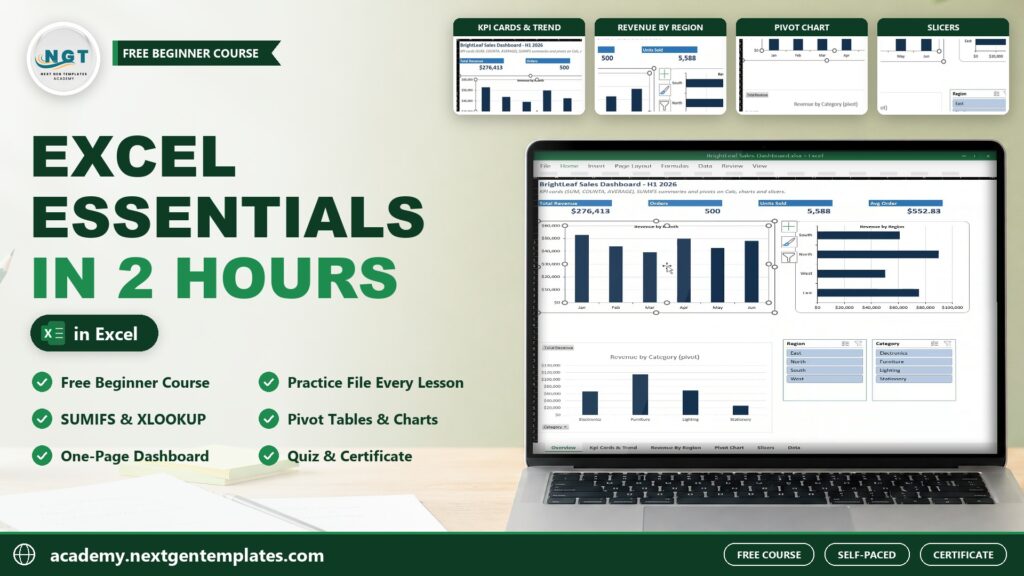
What you’ll learn
- Find your way around the Excel window: Ribbon, Quick Access Toolbar, Name Box and Formula Bar
- Move around and select large sheets fast with keyboard shortcuts
- Enter and format text, numbers, dates and currency the right way
- Write formulas with relative, absolute and mixed references (F4)
- Use SUM, AVERAGE, COUNT, IF, SUMIFS, COUNTIFS, text and date functions
- Look up values with VLOOKUP and XLOOKUP and handle missing matches
- Organize data with Tables, sort, filter, validation and conditional formatting
- Build charts, pivot tables, slicers and a one-page sales dashboard
A practical route to better work.
Learn the Excel you will use every day in about two hours, for free. You follow one real business file from start to finish: BrightLeaf Home & Office, a fictional US retailer with 500 orders. Start with the Excel window, the Ribbon, the Name Box and the Formula Bar, and move around big sheets fast. Enter and format data the right way with number formats, AutoFill, Flash Fill and Freeze Panes. Write your first formulas and master relative, absolute and mixed references with F4. Use the essential functions: SUM, AVERAGE, COUNT, IF, SUMIFS, COUNTIFS, text and date functions, then join two lists with VLOOKUP and XLOOKUP and handle missing values with IFERROR. Organize data with Excel Tables, sort, filter, Remove Duplicates, Data Validation and Conditional Formatting. Build clear charts, combo charts and sparklines, then summarize 500 orders in seconds with pivot tables, pivot charts, slicers and timelines. In the capstone you put it all together in a one-page sales dashboard. Every lesson has a Practice file with yellow task cells and a Checks sheet, plus the finished file to compare against. Finish with a 10-question final quiz and a certificate of completion.
Inside the course
9 modules · 40 lessonsMODULE 01Module 1: Getting Started+
MODULE 02Module 2: Data Entry & Formatting+
MODULE 03Module 3: Formulas & Cell References+
MODULE 04Module 4: Essential Functions+
MODULE 05Module 5: Lookup Functions+
MODULE 06Module 6: Organizing & Analyzing Data+
MODULE 07Module 7: Charts+
MODULE 08Module 8: Pivot Tables+
MODULE 09Module 9: Capstone & Wrap-Up+
Practice files
20 downloadable practice workbooks to follow along with the lessons.
Video lessons
39 step-by-step video lessons (1h 32m), streamed securely.
A knowledge check
Test your understanding with clear feedback and explanations.
Certificate of completion
Complete the course to download a certificate of completion with a unique certificate ID.
Is this course for you?
- Complete beginners who want a fast, practical start in Excel
- Students and job seekers who need Excel skills for work
- Office, sales and admin staff who use Excel but never learned it properly
- Anyone who wants to build their first dashboard
Before you start
- Excel for Windows (Microsoft 365, 2021 or 2019 recommended; XLOOKUP needs Microsoft 365 or 2021)
- No Excel experience needed
About your instructor
Priyendra Kumar (PK)
Founder, NextGenTemplates · Creator of PK: An Excel Expert
A business intelligence consultant, educator and template creator with more than 20 years of real-world experience in Excel, Power BI, Google Sheets, dashboards and business reporting.
PK has shared Excel tutorials on YouTube since 2017. In this course he teaches the same practical way: understand the idea, work through a business example, and build something you can use.
More about PKGood to know
How do I buy a course, and which payment methods can I use?+
Choose a course, select Add to cart and complete checkout. With an Indian billing address you pay in INR through Razorpay, using UPI, cards or net banking. From any other country you pay in USD through PayPal, including debit and credit cards. It is a one-time payment, and the course appears in My Learning as soon as payment is confirmed.
Can I learn at my own pace?+
Yes. Lessons are organized into modules, and signed-in learners can save their progress and resume where they left off.
Are practice files included?+
Yes. Practice files are included with each paid course and can be downloaded from the course once you are enrolled. They are for your personal learning and your own internal work.
Will I receive a certificate?+
Yes. When you complete all required lessons (and any knowledge check or assignment in the course), you can download a certificate of completion with a unique certificate ID. It confirms course completion; it is not an academic or professional accreditation.
How long will I have course access?+
You get lifetime access: you can use the course for as long as NextGenTemplates Academy operates and offers it, as described in the Course Access Policy. There is no subscription or renewal fee.
Can I get a refund?+
Courses are digital content with immediate access, so purchases are generally non-refundable. Limited exceptions are explained in the Refund Policy.
FREE EXCEL LESSONS BY EMAIL
Not ready to enroll yet?
Join the Academy email list for practical Excel and AI tips, free preview lessons and news when a new course opens. Unsubscribe at any time.