
Google Sheets Complete Course: Beginner to Advanced
Learn Google Sheets from your first spreadsheet to an interactive sales dashboard: formulas, lookups, QUERY, dynamic arrays, pivot tables, charts, live data, collaboration and Apps Script automation, with a practice file for every lesson.
 Created by Priyendra Kumar (PK) · NextGenTemplates Academy
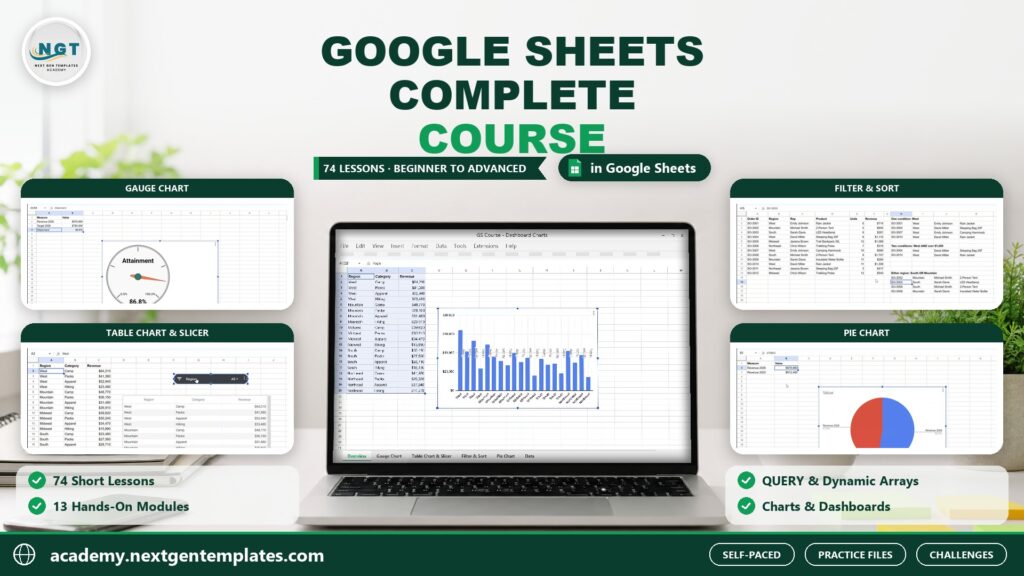
What you’ll learn
- Create, organize and share spreadsheets in Google Sheets with confidence
- Enter, format and clean data fast with Smart Fill, custom formats, tables and find and replace
- Write formulas with relative, absolute and mixed references and use SUMIFS, COUNTIFS and financial functions
- Look up data with VLOOKUP, XLOOKUP, INDEX and MATCH and handle errors with IFERROR
- Clean text and dates with SPLIT, TEXTJOIN, REGEX and date functions
- Control data entry with dropdowns, checkboxes, data validation and conditional formatting
- Build dynamic reports with FILTER, SORT, UNIQUE, ARRAYFORMULA, QUERY, LET and LAMBDA
- Analyze data with pivot tables and present it with charts, sparklines and scorecards
- Pull live data with IMPORTRANGE, IMPORTHTML, GOOGLEFINANCE and Google Forms
- Protect, share and automate your work with macros and Apps Script, and build an interactive sales dashboard
A practical route to better work.
A complete, hands-on Google Sheets course in 13 modules and 74 short lessons. Start from zero: create your first spreadsheet, learn the interface, work with rows, columns and sheets, and import and export Excel and CSV files. Enter and format data the smart way with Smart Fill, number and custom formats, alternating colors, tables and data cleanup. Write formulas with relative, absolute and mixed references, then master the functions you will use every day: SUMIFS, COUNTIFS, financial functions, IF, IFS, SWITCH, IFERROR, VLOOKUP, XLOOKUP, INDEX and MATCH, text, REGEX and date functions. Organize and validate data with sort, filter views, slicers, dropdowns, checkboxes, conditional formatting and smart chips. Go further with the power functions that make Google Sheets special: FILTER, SORT, UNIQUE, ARRAYFORMULA, SEQUENCE, QUERY, LET and LAMBDA. Analyze data with pivot tables and Explore, build clear charts, sparklines and scorecards, and bring in live data with IMPORTRANGE, IMPORTHTML, GOOGLEFINANCE, IMAGE and Google Forms. Share safely with permissions, protected ranges and version history, print clean PDFs, and automate repetitive work with macros, Apps Script, scheduled emails and AI-written scripts that you test before you trust. Every module ends with a hands-on challenge and its solution, and the course finishes with a capstone project: an interactive sales dashboard with KPI cards, charts and dropdown filters. Every lesson includes its practice file, and all you need is a free Google account.
Inside the course
13 modules · 74 lessonsMODULE 01Module 1: Getting Started with Google Sheets+
MODULE 02Module 2: Data Entry & Formatting+
MODULE 03Module 3: Formulas & Core Functions+
MODULE 04Module 4: Logical & Lookup Functions+
MODULE 05Module 5: Text & Date Functions+
MODULE 06Module 6: Organizing & Validating Data+
MODULE 07Module 7: Dynamic Array Power Functions+
MODULE 08Module 8: Pivot Tables & Data Analysis+
MODULE 09Module 9: Charts & Visualization+
MODULE 10Module 10: Connecting & Importing Data+
MODULE 11Module 11: Collaboration & Security+
MODULE 12Module 12: Automation Basics+
MODULE 13Module 13: Capstone Project: Interactive Sales Dashboard+
Practice files
14 downloadable practice workbooks to follow along with the lessons.
Video lessons
74 step-by-step video lessons (4h 00m), streamed securely.
Certificate of completion
Complete the course to download a certificate of completion with a unique certificate ID.
Is this course for you?
- Complete beginners who want a structured start in Google Sheets
- Excel users moving to Google Sheets and Google Workspace
- Office, sales, finance and operations staff who report and collaborate in Sheets
- Small-business owners, students and job seekers who want practical spreadsheet skills
Before you start
- A free Google account and a web browser (Chrome recommended)
- No spreadsheet experience needed
- Practice files open in Google Sheets; Excel copies are included for offline use
About your instructor
Priyendra Kumar (PK)
Founder, NextGenTemplates · Creator of PK: An Excel Expert
A business intelligence consultant, educator and template creator with more than 20 years of real-world experience in Excel, Power BI, Google Sheets, dashboards and business reporting.
PK has shared Excel tutorials on YouTube since 2017. In this course he teaches the same practical way: understand the idea, work through a business example, and build something you can use.
More about PKGood to know
How do I buy a course, and which payment methods can I use?+
Choose a course, select Add to cart and complete checkout. With an Indian billing address you pay in INR through Razorpay, using UPI, cards or net banking. From any other country you pay in USD through PayPal, including debit and credit cards. It is a one-time payment, and the course appears in My Learning as soon as payment is confirmed.
Can I learn at my own pace?+
Yes. Lessons are organized into modules, and signed-in learners can save their progress and resume where they left off.
Are practice files included?+
Yes. Practice files are included with each paid course and can be downloaded from the course once you are enrolled. They are for your personal learning and your own internal work.
Will I receive a certificate?+
Yes. When you complete all required lessons (and any knowledge check or assignment in the course), you can download a certificate of completion with a unique certificate ID. It confirms course completion; it is not an academic or professional accreditation.
How long will I have course access?+
You get lifetime access: you can use the course for as long as NextGenTemplates Academy operates and offers it, as described in the Course Access Policy. There is no subscription or renewal fee.
Can I get a refund?+
Courses are digital content with immediate access, so purchases are generally non-refundable. Limited exceptions are explained in the Refund Policy.
FREE EXCEL LESSONS BY EMAIL
Not ready to enroll yet?
Join the Academy email list for practical Excel and AI tips, free preview lessons and news when a new course opens. Unsubscribe at any time.